
Drop manga here
Images · folders · ZIP
Images · folders · ZIP
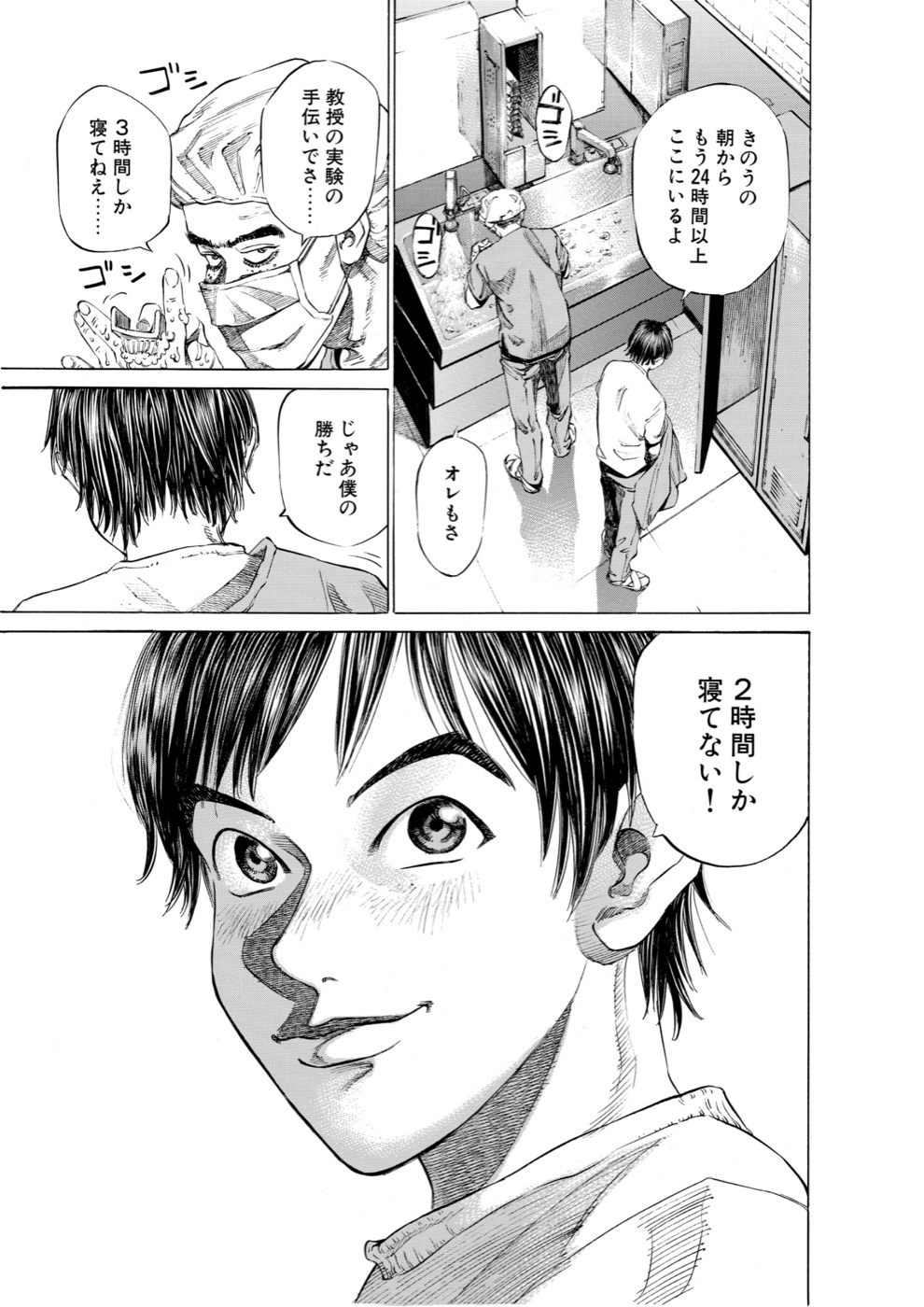
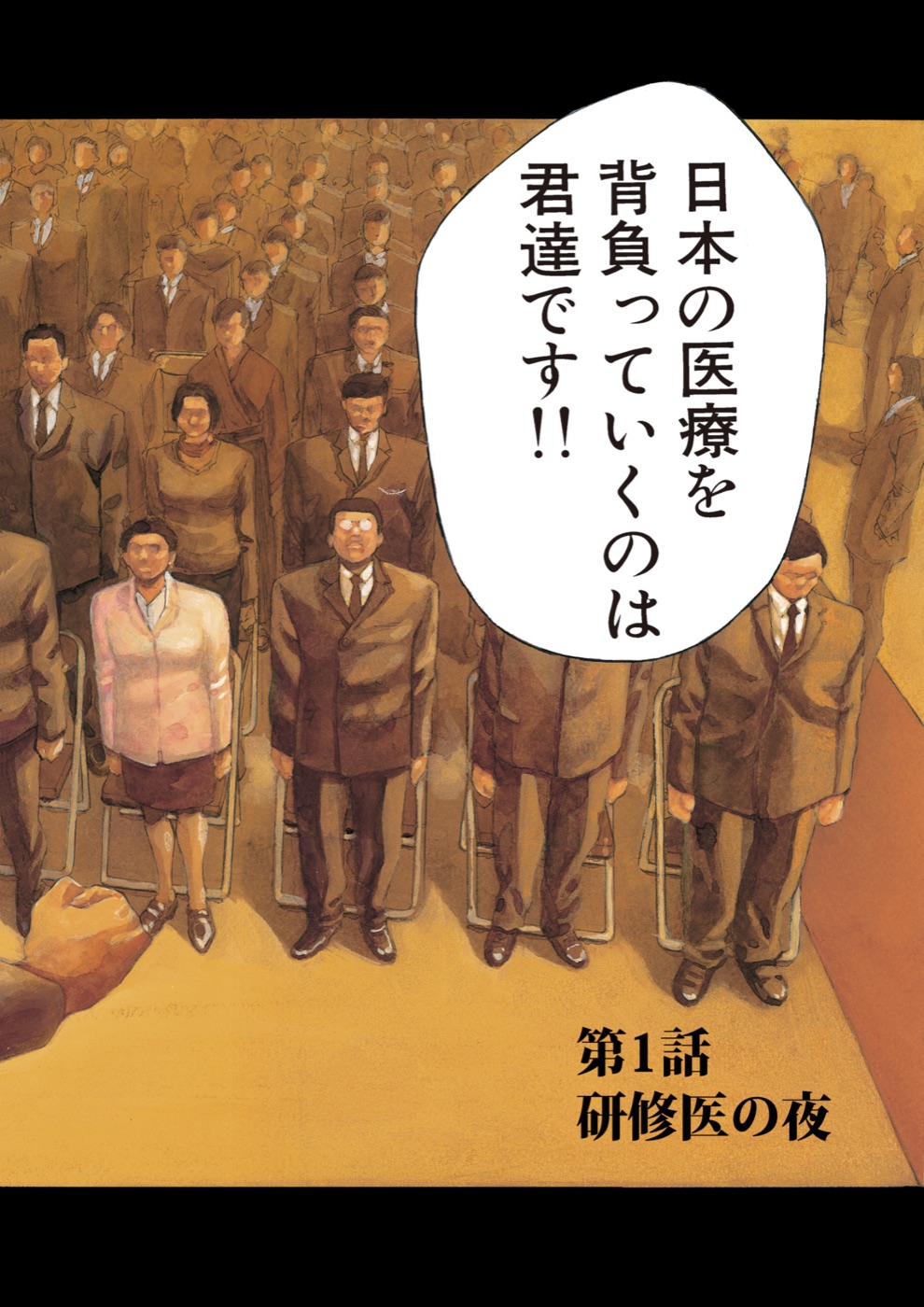
Just drag it in
Images, folders and ZIPs all work. You can also drop them on the Dock icon or use “Open With” in Finder.
Drop images, folders or ZIPs into the window. MangaPrism finds the speech bubbles, removes the original text, repairs the background and typesets the Chinese translation — just like a human scanlation.
It finds speech bubbles and text outside them, erases the original, repairs the art and re-letters everything in Chinese — vertical text included.
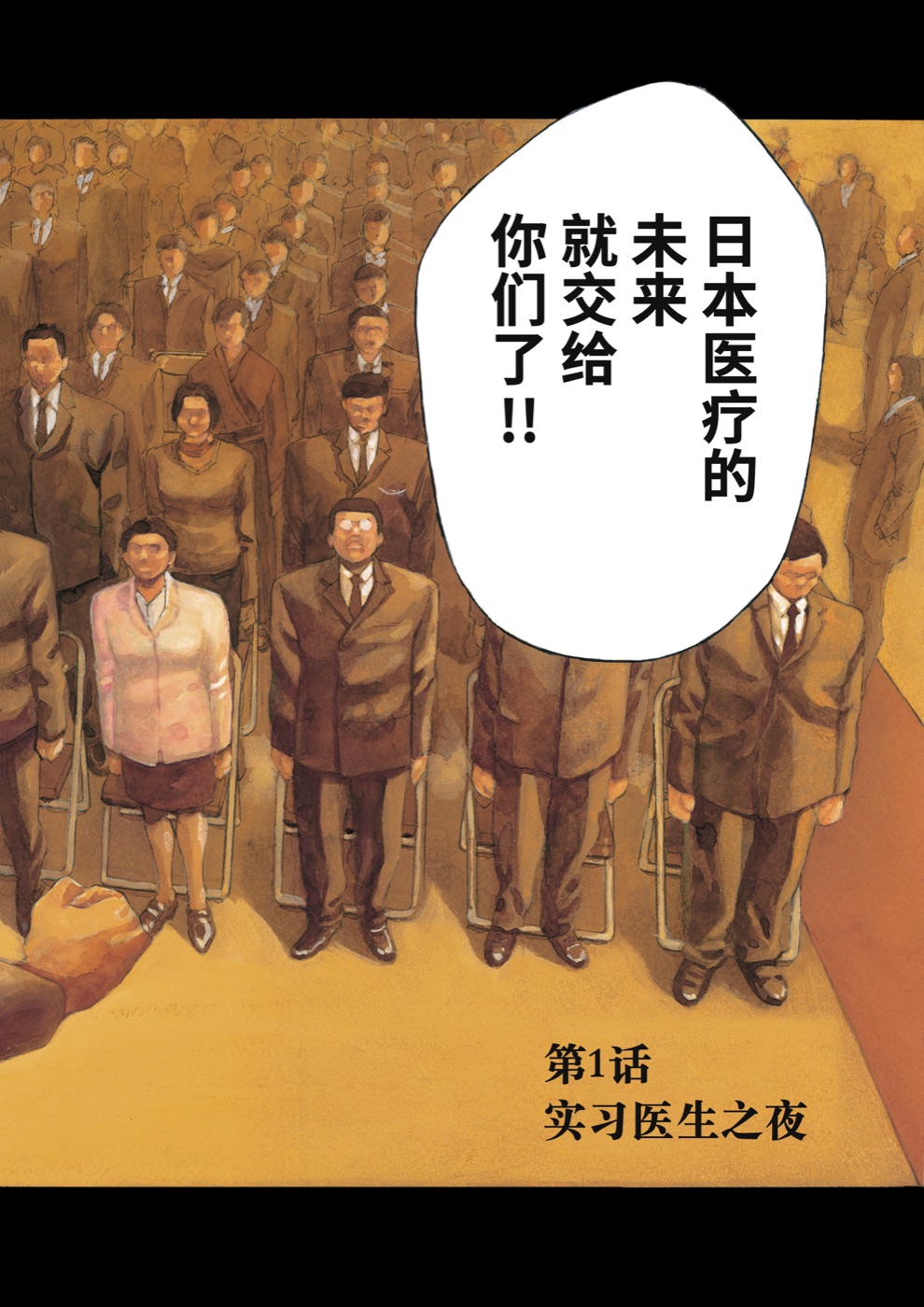 OriginalTranslated
Illustrative
OriginalTranslated
Illustrative
Images, folders and ZIPs all work. You can also drop them on the Dock icon or use “Open With” in Finder.
Use an API, or the Claude Code / Codex you are already signed in to. You can switch models for a single run.
Failed pages show why. Retry one page or try another model — no need to redo the whole book.
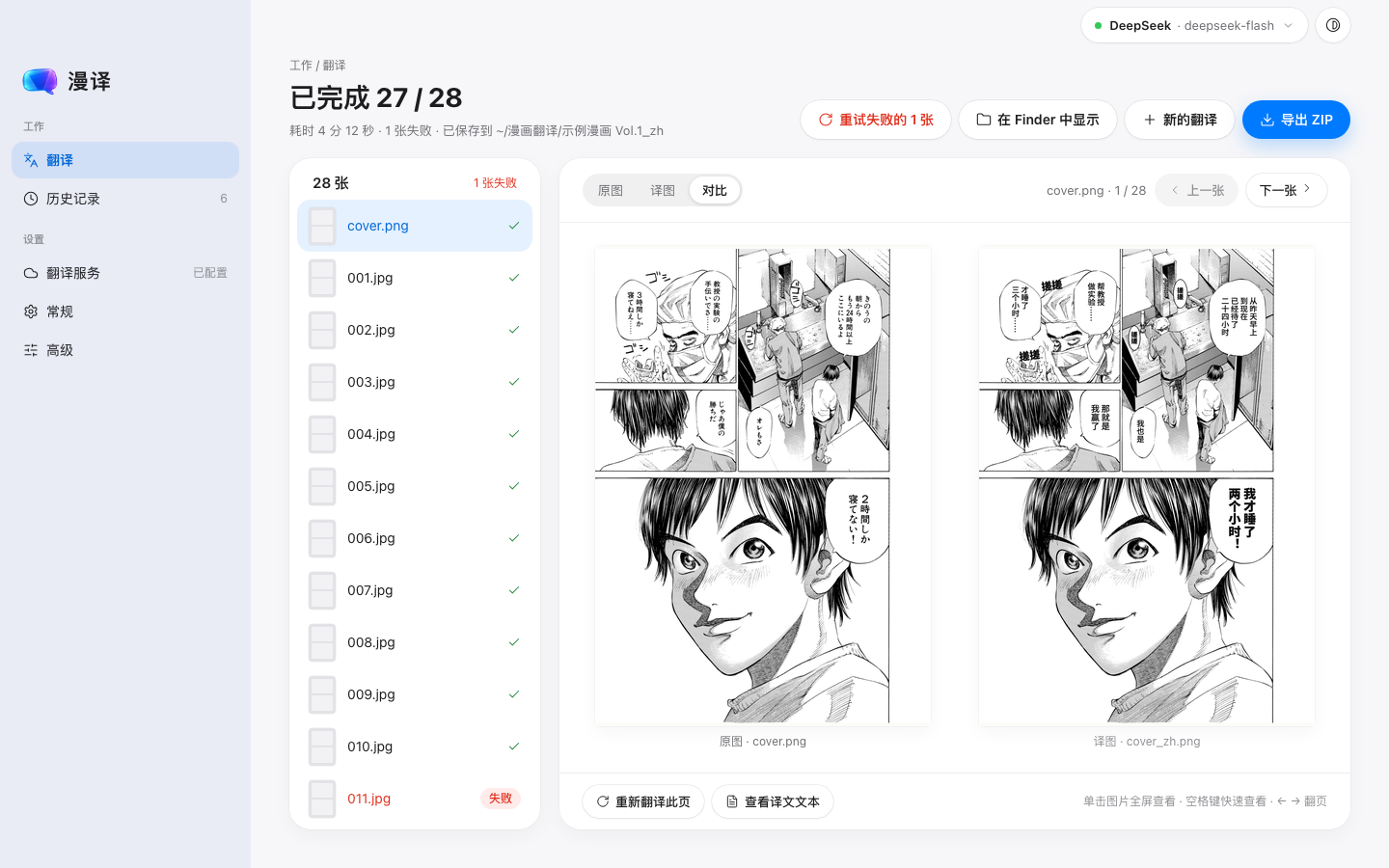
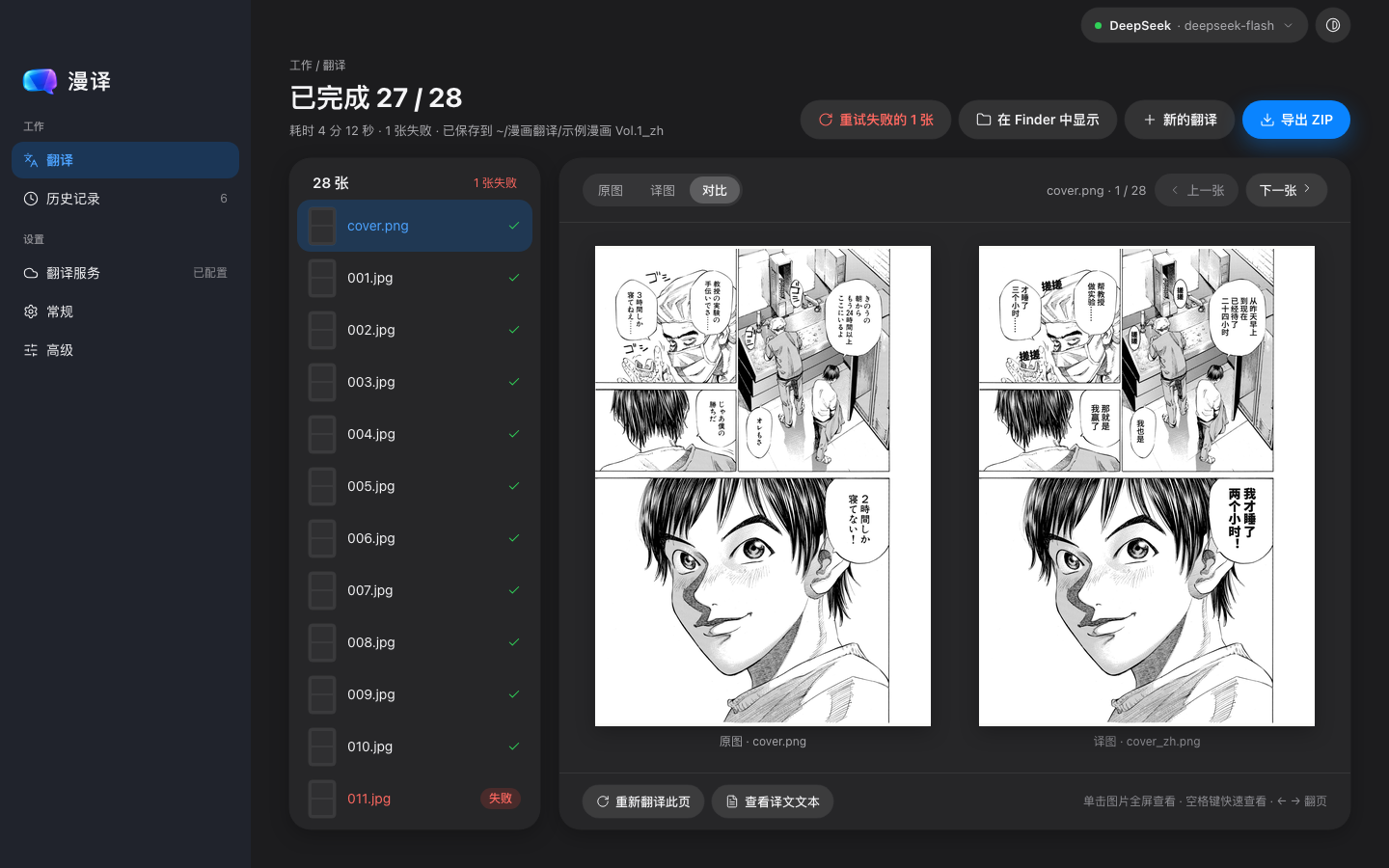
Switch between original, translation and comparison. Zoom in full screen to see every detail.
Translucent windows, real menus and shortcuts, and it follows system dark mode.
Sample manga Vol.128 pagesSample manga Vol.232 pagesShort stories16 pagesEvery translated book stays in History, ready to open and compare again.
From detection to erasing to lettering, every step serves one goal: a translation that looks hand-made.
Finds speech bubbles, captions and sound effects — even on busy backgrounds, screentone and slanted text.
After the text is removed, the background is repaired, keeping the original lines, screentone and faces intact.
Font size and line breaks adapt to each bubble, with vertical text. Titles and SFX are re-set in bold at their original size.
Japanese manga, Korean manhwa, Western comics and more — all translated into Chinese.
Process an entire folder or ZIP in one run, with per-page progress.
Download and go — no account needed. Translation runs on your own API key or local CLI.
Switch any time in Settings.
MangaPrism is a free download. With an API, your chosen provider bills you for usage; with a local CLI, it uses your existing account’s quota.
Japanese manga, Korean manhwa, Western comics and other foreign-language comics, translated into Chinese. It reads JPG, PNG and WebP images, whole folders and ZIP files. The app interface is currently in Simplified Chinese.
Bubble detection, erasing and inpainting all happen on your Mac. For translation, the page image and detected text are sent to the API provider you chose, or to the service behind your local CLI. MangaPrism has no servers of its own and never collects your manga.
Not yet. It needs a Mac with Apple silicon (M-series) running macOS 13 or later.
Re-translate that page from the results screen, or retry it with another model. Before a run, the service picker in the top-right corner lets you switch provider and model.
Didn’t start? Download again
Looks like you’re on another device. MangaPrism needs a Mac with Apple silicon and macOS 13 or later. Copy the link and open it on your Mac later.